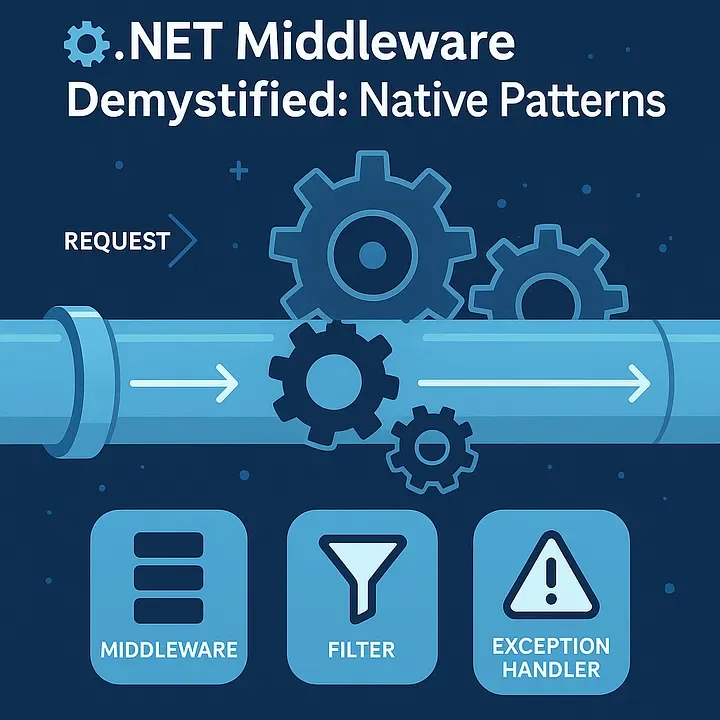
What is the middleware pipeline (plain and short)
ASP.NET Core’s middleware pipeline is a linear chain of components that handle an HTTP request. Each middleware:
- receives an
HttpContext, - can do work before calling the next middleware,
- optionally call
await _next(context)to pass control, - can do work after
_nextreturns (response path), - or choose not to call
_next(short-circuit / terminal).
Think of it as a stack: request flows in from top → bottom, and response flows back out bottom → top.
Key facts interviewers want you to know
- Middleware are executed in the order they are registered. Response processing happens in reverse order (unwinding the stack).
- Request short-circuits happen when middleware doesn’t call
next()— e.g., authentication failure, static-file serving, early-caching responses. Use,Run,Map,UseWhenare the registration APIs with different behaviors:Use— typical middleware; callsnextusually.Run— terminal middleware (doesn’t callnext); short-circuits.Map/MapWhen— branch the pipeline based on path or predicate.UseWhen— conditional branch; still returns to the main pipeline afterwards.
- The typical order matters — put error handling early, static files early if public, authentication before authorization, etc.
- Middleware classes are created by DI (by default single-instance per app). Avoid resolving scoped services in middleware constructors — use
context.RequestServicesorIServiceScopeFactorywhen you need scoped services.
Ordering rules & common mistakes (with examples)
Good ordering (typical):
UseForwardedHeaders()(if behind proxy)UseExceptionHandler()/UseDeveloperExceptionPage()(catch and handle exceptions)UseStaticFiles()(if public assets)UseRouting()UseAuthentication()UseAuthorization()app.UseEndpoints(...)/app.MapControllers()/ minimal endpoints
Bad examples:
UseAuthorization()beforeUseAuthentication()— authorization expects a principal, which authentication populates. Result: anonymous requests.UseExceptionHandler()placed after heavy middleware that can throw — you may not capture startup exceptions.- Putting
UseStaticFiles()after authentication when files are public — causes unnecessary auth checks and latency. - Injecting
DbContextdirectly in middleware constructor — leads to captured scoped into singleton (concurrency bugs). Instead accesscontext.RequestServices.GetRequiredService<AppDbContext>()insideInvokeAsyncor create a scope.
Middleware lifetime & DI gotcha
- Middleware classes are constructed by the host at startup (effectively singleton). Constructor-injected services are resolved from the root provider at that time.
- If you inject a scoped service in the middleware constructor, you’ll capture that scoped instance for the app lifetime — bad.
- Correct patterns:
- Inject only singleton-safe dependencies (e.g.,
ILogger,IOptions<T>,IHttpClientFactory). - If you need a scoped service, resolve it inside
InvokeAsyncfromcontext.RequestServicesor create a scope withIServiceScopeFactoryfor background work.
- Inject only singleton-safe dependencies (e.g.,
Best practices
- Keep middleware focused and small (single responsibility).
- Avoid blocking calls — use
async/await. - Use
AsNoTracking()or read-only options when accessing EF Core from middleware (but prefer not to query DB often from middleware). - Put exception handling as the first middleware to catch anything below it.
- Use
IHttpClientFactoryinstead of storingHttpClientin a singleton middleware. - Don’t modify
HttpContextin weird ways that break downstream middleware (e.g., dispose request body stream prematurely).
Custom middleware — complete example (robust, production-aware)
This middleware:
- logs request/response time,
- adds a correlation id (if missing),
- optionally captures and logs response body for errors (careful with large bodies),
- demonstrates safe scoped access.
<code>// RequestTimingMiddleware.cs
using System.Diagnostics;
using System.IO;
using System.Text;
using System.Threading.Tasks;
using Microsoft.AspNetCore.Http;
using Microsoft.Extensions.Logging;

public class RequestTimingMiddleware
{
    private readonly RequestDelegate _next;
    private readonly ILogger<RequestTimingMiddleware> _logger;

    public RequestTimingMiddleware(RequestDelegate next, ILogger<RequestTimingMiddleware> logger)
    {
        _next = next;
        _logger = logger;
    }

    // Middleware should use InvokeAsync signature
    public async Task InvokeAsync(HttpContext context)
    {
        // Ensure a correlation id (don't store per-request state on this singleton)
        const string CorrelationHeader = "X-Correlation-ID";
        if (!context.Request.Headers.TryGetValue(CorrelationHeader, out var cid) || string.IsNullOrWhiteSpace(cid))
        {
            cid = System.Guid.NewGuid().ToString("N");
            context.Request.Headers[CorrelationHeader] = cid;
        }
        context.Response.Headers[CorrelationHeader] = cid;

        var sw = Stopwatch.StartNew();

        // Optionally capture response body for logging on errors
        var originalBody = context.Response.Body;
        await using var memStream = new MemoryStream();
        context.Response.Body = memStream;

        try
        {
            await _next(context); // call downstream middleware / endpoint
            sw.Stop();

            // After downstream finishes, read the response body (optional)
            memStream.Seek(0, SeekOrigin.Begin);
            var responseText = await new StreamReader(memStream, Encoding.UTF8).ReadToEndAsync();

            // write the body back to the original response stream
            memStream.Seek(0, SeekOrigin.Begin);
            await memStream.CopyToAsync(originalBody);
            context.Response.Body = originalBody;

            // Add timing header
            context.Response.Headers["X-Response-Time-ms"] = sw.ElapsedMilliseconds.ToString();

            _logger.LogInformation("Request {Method} {Path} responded {StatusCode} in {Elapsed}ms, cid={CorrelationId}",
                context.Request.Method, context.Request.Path, context.Response.StatusCode, sw.ElapsedMilliseconds, cid);
        }
        catch (Exception ex)
        {
            sw.Stop();
            // Reset response body so we can write an error payload
            context.Response.Body = originalBody;

            // log with correlation id
            _logger.LogError(ex, "Unhandled exception for {Path}, cid={CorrelationId}, took {Elapsed}ms",
                context.Request.Path, cid, sw.ElapsedMilliseconds);

            // Re-throw or produce a safe error response; we rethrow to let UseExceptionHandler or framework handle it
            throw;
        }
    }
}</code>
Code language: PHP (php)
And the extension method to register it cleanly:
<code>// RequestTimingMiddlewareExtensions.cs
using Microsoft.AspNetCore.Builder;

public static class RequestTimingMiddlewareExtensions
{
    public static IApplicationBuilder UseRequestTiming(this IApplicationBuilder app)
        => app.UseMiddleware<RequestTimingMiddleware>();
}</code>
Code language: PHP (php)
Register in Program.cs (minimal hosting):
<code>var builder = WebApplication.CreateBuilder(args);
var app = builder.Build();

// Typical placement: exception handler -> static files -> routing -> auth -> custom middlewares -> endpoints
app.UseExceptionHandler("/error");                  // catch exceptions
app.UseRequestTiming();                             // our middleware
app.UseStaticFiles();                               // serve public files fast
app.UseRouting();
app.UseAuthentication();
app.UseAuthorization();
app.MapControllers();
app.Run();
</code>Code language: JavaScript (javascript)
Notes on the example:
- The middleware accesses only
ILoggervia constructor — safe singleton dependency. - When needing a
DbContextor a scoped service, resolve it insideInvokeAsyncfromcontext.RequestServices.GetRequiredService<T>(). - Be careful capturing response body: streaming large bodies into memory risks OOM — use only for small bodies or conditional logging (e.g., error responses).
A couple of realistic interview scenarios you might be asked
- Q: “Where would you place a correlation-id middleware and why?”
A: Early — before logging and error handling — so exceptions and logs include the correlation id. - Q: “Your middleware logs the response body but memory spikes in production. Why?”
A: Because buffering the entire response into memory (MemoryStream) for all responses causes OOM for large payloads. Fix by only buffering on error, streaming to temp file, or sampling small payloads. - Q: “You get
InvalidOperationException: The IHttpContextAccessor instance has not been set.in middleware.”
A: That usually means the middleware accessedIHttpContextAccessorincorrectly, or the accessor wasn’t registered. Prefer getting scoped services fromcontext.RequestServicesor ensureservices.AddHttpContextAccessor()is called.
Short spoken script
“ASP.NET Core middleware form a linear pipeline where each component can run before and after downstream middleware. Registration order defines request flow and reverse-order response flow. Use UseExceptionHandler or developer pages early to catch errors. Authentication must run before authorization. Middleware are instantiated at app startup, so constructor-injected services must be safe for singleton lifetime — don’t inject scoped services in constructors; instead resolve them from context.RequestServices or create scopes. A simple custom middleware implements InvokeAsync(HttpContext), calls _next(context), and can capture timing, correlation ids, caching or short-circuit for specialized responses. Keep middleware small, async, and free of blocking I/O.”
what is the difference between middleware and filter