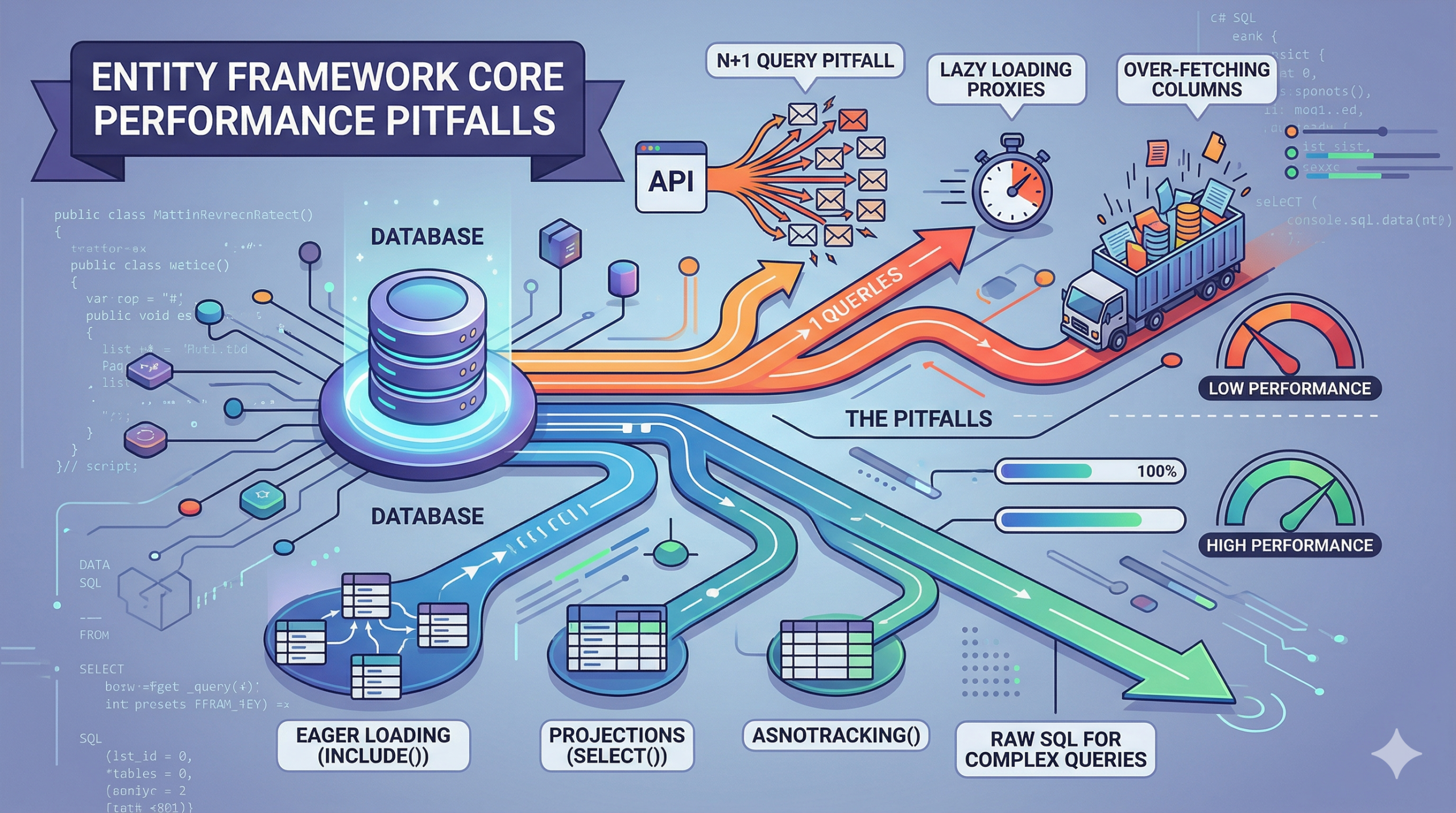
N+1 queries, eager loading, and when to use raw SQL
A practical guide based on real production experience with C# code examples.
Introduction: The hidden cost of convenience
What happens when an endpoint that takes 200ms in development suddenly takes 14 seconds in production?
I saw this first-hand while diagnosing a production API. The system handled order processing, and under normal development load, everything was fine. But once it went live with real traffic and real data, a single endpoint handling 500 concurrent orders was crawling.
The culprit wasn’t the server, the network, or a missing index. It was a foreach loop firing 501 separate database queries and EF Core was hiding every single one of them behind clean, readable C#.
This post isn’t about avoiding EF Core. It’s about using it wisely. EF Core is an excellent ORM, and its convenience is genuinely valuable, but that convenience comes with a cost that only shows up at scale. Patterns that look harmless with seed data become production emergencies with real data.
By the end of this post you’ll be able to:
- Spot N+1 query patterns before they reach production
- Understand when
Include(),Select(), andAsNoTracking()each belong - Know when to step outside LINQ entirely and write raw SQL
- Set up tooling that surfaces these problems in development
Note: This guide is written for .NET developers using EF Core 6, 7, or 8.
The N+1 query problem (the silent killer)
The N+1 problem is the most common EF Core mistake, and it’s so easy to write that most developers don’t notice it until something breaks in production. Here’s how it happens.
The bad code what N+1 looks like
You want to display a list of orders with their customer names. If your project has explicitly opted into lazy loading proxies (which we will discuss in Section 3), this code looks completely reasonable:
var orders = await _db.Orders.ToListAsync();

// This fires 1 query for Orders...
foreach (var order in orders)
{
    // ...then 1 MORE query per order = N+1 total
    Console.WriteLine(order.Customer.Name);
}Code language: PHP (php)
With 500 orders in the database, this code fires 501 queries. One to load the orders, then one per order to load each customer. EF Core’s lazy loading makes this invisible in C#, the navigation property access looks like a simple property read, but it’s actually a synchronous round-trip to the database.
The SQL EF Core fires looks like this, repeated 500 times with different ID values:
-- Query 1

SELECT * FROM Orders

-- Query 2 (repeated 500 times with different CustomerId)

SELECT * FROM Customers WHERE Id = 42

SELECT * FROM Customers WHERE Id = 17

SELECT * FROM Customers WHERE Id = 103

 ... 497 moreCode language: JavaScript (javascript)
This gets exponentially worse with pagination. 20 orders per page sounds fine, until you have 50 users hitting the page simultaneously, and you’re firing 1,050 queries per second to serve them.
The fix eager loading with Include()
The solution is to tell EF Core to load the related data upfront using Include()
var orders = await _db.Orders
    .Include(o => o.Customer)   // 1 JOIN query total
    .ToListAsync();Code language: JavaScript (javascript)
EF Core translates this into a single SQL JOIN and returns everything in one round-trip. For nested relationships, chain with ThenInclude()
var orders = await _db.Orders
    .Include(o => o.Customer)
        .ThenInclude(c => c.Address)   // nested: Customer -> Address
    .Include(o => o.OrderItems)        // separate relationship
.ToListAsync();Code language: JavaScript (javascript)| Warning Include() fixes N+1 but introduces a new problem it loads the entire related entity, including every column you don’t need. With a Customer entity that has 30 columns, you’re now pulling all 30 for every order in the list. This leads directly to Section 2. |
Over-fetching (loading data you don’t need)
Include() solves N+1, but can trade one performance problem for another. If your Customer entity has 30 columns address, phone, billing details, audit fields, preferences every Include() call pulls all of them, even when you’re only displaying a name.
At scale, this matters. Here’s a rough comparison for a 500-row result set:
| Approach | Data transferred | Change tracking |
| Include() full entity | ~2.3KB × 500 ≈ 1.15MB | On (overhead) |
| Select() projection | ~0.2KB × 500 ≈ 100KB | Off (automatic) |
Rough estimates based on a Customer entity with 30 columns vs. a 3-column DTO.
Bad: loads entire Customer entity
var orders = await _db.Orders
    .Include(o => o.Customer)
    .ToListAsync();Code language: JavaScript (javascript)
Good: project only what you need
var orders = await _db.Orders
    .Select(o => new OrderSummaryDto
    {
        OrderId  = o.Id,
        Customer = o.Customer.Name,  // only 1 column from Customers table
        Total    = o.Total
    })
    .ToListAsync();Code language: JavaScript (javascript)
Notice that Select() automatically disables change tracking for the projected DTO. EF Core knows an unmapped class isn’t something it needs to watch for mutations. Projecting to pure DTOs is a double win: less data transferred over the wire, and less memory overhead from the change tracker.
Note: if you project a full, tracked entity inside that DTO, EF Core will still track the entity itself.
The rule of thumb: use Select() for reads. Use Include() only when you need to load a full entity because you’re going to modify it and call SaveChanges().
Tip: If you use AutoMapper, its ProjectTo<T>() extension method generates the same optimized SELECT as a manual projection and keeps your query layer clean. |
The Dangers of Opting Into Lazy Loading
Lazy loading is EF Core’s way of loading related data automatically when you access a navigation property. The idea is appealing: you don’t have to think about Include(), EF Core just loads what you need, when you need it.
In practice, lazy loading is almost always a mistake in production APIs.
How to enable it (and why you probably shouldn’t)
// Enabling lazy loading via proxies

services.AddDbContext<AppDbContext>(o => o
    .UseLazyLoadingProxies()
    .UseSqlServer(connectionString));

// With lazy loading enabled, this code looks completely innocent:

foreach (var order in orders)
    Console.WriteLine(order.Customer.Name);  // fires 1 DB query per iteration.Code language: JavaScript (javascript)
There’s nothing in the C# to tell you this is happening. No await, no async method, no explicit query. EF Core fires a synchronous database query inside the property access, silently, every time.
How to detect lazy loading in an existing project
If you suspect your codebase already has lazy loading problems, here’s the quickest diagnostic: enable EF Core SQL logging, run a request, and look for repeated identical SELECT statements with different ID values in the WHERE clause:
-- The smoking gun: same query, different ID, repeated N times

SELECT * FROM Customers WHERE Id = 42
SELECT * FROM Customers WHERE Id = 17
SELECT * FROM Customers WHERE Id = 103
If you see this pattern, you have N+1 caused by lazy loading.
Verdict: disable lazy loading by default in every project. Consider it only for admin tooling or exploratory internal tools where developer convenience matters more than performance. Never in APIs.
AsNoTracking(): A Win, But Watch Your Memory
EF Core’s change tracker is what makes SaveChanges() work it watches every entity you load, compares the state before and after, and generates the right UPDATE statements. That’s powerful, but it isn’t free.
For read-only queries, you’re paying the change tracking cost and getting nothing in return.
var products = await _db.Products
    .AsNoTracking()            // disables change tracking for this query
    .Where(p => p.IsActive)
    .Select(p => new ProductDto { ... })
    .ToListAsync();Code language: JavaScript (javascript)
In benchmarks with 10,000 rows, AsNoTracking() consistently reduces memory usage by around 40% and query execution time by around 25%.
The exact numbers depend on entity complexity, but the direction is always the same: less overhead, faster queries.
When NOT to use it
If you load an entity and then modify it and call SaveChanges() , you need change tracking. Without it, EF Core won’t know what changed and won’t generate the UPDATE statement.
// DO NOT use AsNoTracking() here you need change tracking

var order = await _db.Orders.FirstAsync(o => o.Id == id);
order.Status = OrderStatus.Shipped;
await _db.SaveChangesAsync(); // requires tracked entityCode language: JavaScript (javascript)
The Identity Resolution Trap
There is a catch to AsNoTracking(). If a query returns 10,000 order items that all reference the same 10 products, AsNoTracking() will instantiate 10,000 duplicate Product objects in memory because it isn’t tracking their identities. This can cause a massive garbage collection spike.
If you use Include() on a collection with heavily duplicated relational data, use AsNoTrackingWithIdentityResolution() instead. This skips change tracking but ensures the same related entity appearing in multiple results is mapped to the exact same object in memory.
When to Ditch LINQ for Raw SQL and Bulk Updates
EF Core is not always the right tool. LINQ is expressive and safe, but there are query types where hand-written SQL is simply clearer, faster, or both.
| Use LINQ | Use projections | Use raw SQL |
| Simple CRUD, filtering, pagination | Multi-table reads, DTOs, dashboards | Complex aggregations, bulk ops, stored procs |
Here’s how to run raw SQL with EF Core while still getting mapped results:
var results = await _db.Database

    .SqlQuery<OrderReportDto>($"""

        SELECT o.Id, c.Name, SUM(oi.Price) AS Total

        FROM Orders o

        JOIN Customers c ON c.Id = o.CustomerId

        JOIN OrderItems oi ON oi.OrderId = o.Id

        GROUP BY o.Id, c.Name

    """)

    .ToListAsync();Code language: PHP (php)
For bulk updates, ExecuteUpdateAsync() (introduced in EF Core 7) is the right choice. It skips loading entities entirely and runs a single UPDATE:
// Update all inactive products in one query no loading required

await _db.Products
    .Where(p => !p.IsActive && p.LastUpdated < cutoffDate)
    .ExecuteUpdateAsync(s => s
        .SetProperty(p => p.IsArchived, true)
        .SetProperty(p => p.ArchivedAt, DateTime.UtcNow));Code language: JavaScript (javascript)
Raw SQL doesn’t mean unsafe. EF Core’s interpolated string SQL methods handle parameterization automatically when you use C# interpolation syntax. Never concatenate strings directly into SQL.
| Note: Don’t reach for raw SQL just because a query looks complex. LINQ handles most things multi-join queries, subqueries, grouping. Raw SQL belongs for aggregation-heavy reports, bulk operations, and stored procedures you already own and maintain. |
Tooling to Catch EF Core Bottlenecks Before Production
Every performance issue described in this post is detectable in development if you have the right tooling turned on. The goal is to make the expensive query visible before it hits production.
Enable SQL logging in development
This is the single most useful thing you can do. It logs every SQL statement EF Core fires to the console:
services.AddDbContext<AppDbContext>(o => o
    .UseSqlServer(connectionString)
    .LogTo(Console.WriteLine, LogLevel.Information)
    .EnableSensitiveDataLogging()); // include parameter valuesCode language: JavaScript (javascript)
With this on, N+1 problems become immediately visible.
Set a query count threshold
A lightweight EF Core interceptor can log a warning (or throw in development) whenever a single request fires more than N queries. Once I set the threshold to 10 in a production system, the offending endpoint announced itself immediately.
public class QueryCountInterceptor : DbCommandInterceptor
{
    private int _count = 0;
    private const int Threshold = 10;
    public override ValueTask<DbDataReader> ReaderExecutedAsync(
        DbCommand command, CommandExecutedEventData eventData,
        DbDataReader result, CancellationToken cancellationToken = default)
    {
        _count++;
        if (_count > Threshold)
            throw new Exception($"Query count exceeded {Threshold} check for N+1.");
        return new ValueTask<DbDataReader>(result);
    }
}Code language: HTML, XML (xml)
MiniProfiler and Azure Application Insights
For local development, install MiniProfiler.AspNetCore.Mvc and MiniProfiler.EntityFrameworkCore. It shows query counts and timings inline in the browser and requires almost no configuration.
In production, Application Insights is where you find the problems that slipped through. By looking at the dependency tracking view, you can see every SQL query, its duration, and how many times it fired per request.
The 5-rule cheat sheet
If you take one thing from this post, make it this. These five rules will catch 90% of EF Core performance problems before they reach production:
- Never opt into lazy loading in APIs. Use
Include()orSelect()explicitly. - Add
AsNoTracking()to read-only queries, but useAsNoTrackingWithIdentityResolution()if you are returning heavily duplicated related data. - Use
Select()projections for reads. Don’t load full entities you don’t intend to modify. - Enable SQL logging in development. See every query EF Core fires before it reaches production.
- Switch to raw SQL and
ExecuteUpdateAsync()for complex reports and bulk updates.
References & Further Reading
For a deeper dive into the internal mechanics behind these optimizations, the official Microsoft EF Core documentation is the most reliable source. Here are the specific guides that cover the concepts discussed in this post:
- Tracking vs. No-Tracking Queries: A detailed breakdown of how the change tracker works, its memory implications, and the crucial difference between
AsNoTracking()andAsNoTrackingWithIdentityResolution(). - Efficient Updating and Bulk Operations: Microsoft’s architectural guide on when to use
ExecuteUpdateAsyncandExecuteDeleteAsync(introduced in EF Core 7) to bypass the change tracker entirely. - EF Core Performance Diagnosis: Step-by-step instructions on setting up SQL logging, using
DiagnosticSource, and building query interceptors to catch N+1 issues in development. - General EF Core Performance Overview: A comprehensive look at the EF Core execution pipeline, compiled queries, caching strategies, and network roundtrip bottlenecks.
What’s the worst EF Core performance bug you’ve hit in production? Drop it in the comments below the most interesting ones usually become the next post.