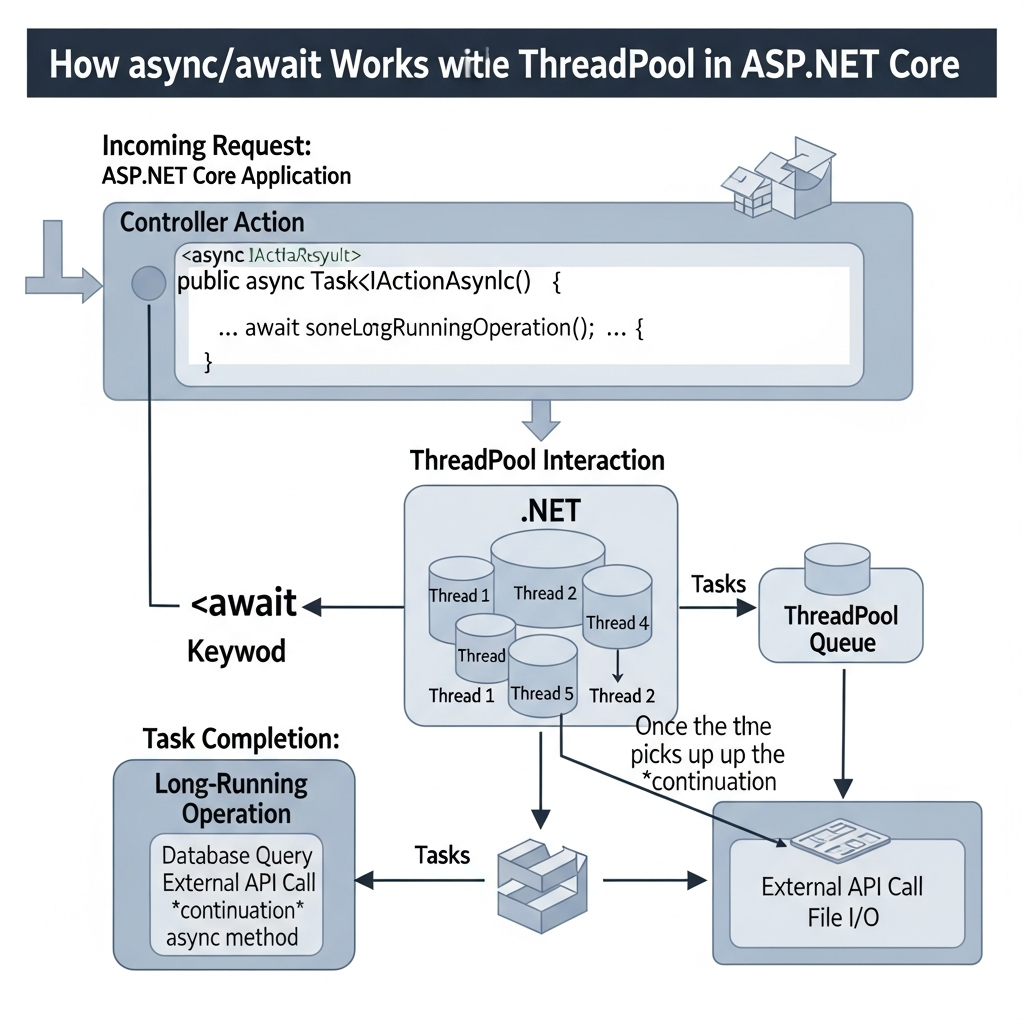
In modern web application development, scalability and efficient resource utilization are key. ASP.NET Core gives us powerful tools to build high-throughput servers, and one of the most impactful features for performance is asynchronous programming using async and await. In this article, we will explore how async/await works specifically with the ThreadPool in ASP.NET Core and why it matters for real-world applications.
What Async/Await Really Means
Before we dive into the details, let’s clarify what async and await are.
- The
asynckeyword turns a method into an asynchronous method. - The
awaitkeyword tells the runtime to wait for a long-running operation without blocking the thread executing the method.
In traditional synchronous code, threads sit idle while waiting for I/O (like database calls) to finish. With async/await, the thread is not blocked. Instead, the runtime handles the operation in the background and resumes execution once the awaited task completes. This allows applications to serve more requests with the same amount of resources. (Microsoft Learn)
The Problem with Blocking Threads
Imagine a web server handling many incoming requests. If each request runs synchronously:
- Each request occupies a thread from the ThreadPool
- Database calls or external I/O block the thread
- The thread pool can run out of threads under load
This causes degraded performance and limits scalability. ASP.NET Core apps should be able to serve thousands of concurrent requests efficiently — and that’s where async/await shines. (Microsoft Learn)
How Async/Await Works with the ThreadPool
Let’s look at a simple controller method:
public async Task<IActionResult> GetOrders()
{
    var orders = await _db.Orders.ToListAsync();
    return Ok(orders);
}
Here’s what happens under the hood in a clear, step-by-step way:
1. Request Begins on a ThreadPool Thread
When a request arrives, ASP.NET Core assigns a thread from the .NET ThreadPool to handle it. The execution starts normally on that thread.
2. Database Call Is Started (No Thread is Blocked)
When the line
_db.Orders.ToListAsync();
is executed, EF Core initiates the database query using asynchronous I/O APIs. It does not block a thread while the query runs. Instead, the I/O operation is handed off to the operating system, and a Task is returned immediately. (Microsoft for Developers)
3. await Releases the Thread
When the await keyword is reached:
- The compiler generates a state machine that tracks local variables and next execution point
- The current thread is returned to the ThreadPool
- The request is logically “paused” until the database response arrives
At this point, no thread is blocked waiting for the database. (Microsoft for Developers)
4. OS Notifies Completion
When the database work finishes:
- The operating system signals an I/O completion event
- The .NET runtime marks the
Taskas completed - Still, no thread executes your method yet — the Task is just ready
This model uses efficient OS I/O completion mechanisms rather than threads waiting on results.
5. ThreadPool Schedules the Continuation
After Task completion, ASP.NET Core queues the continuation — the remaining part of your async method after the await — back to the ThreadPool. This can run on any available thread, not necessarily the original one. (Stack Overflow)
6. A ThreadPool Thread Runs the Continuation
When a ThreadPool thread becomes available:
- It picks up the continuation
- It restores method state
- Execution resumes immediately after
await
From your perspective, it looks like the method resumed naturally, but in reality it may be running on a different thread.
Why This Matters
Here’s the core benefit: the thread that began the request does not sit idle waiting for I/O. Instead, that thread gets reused to serve another request while the I/O operation waits at the OS level. This means:
- The server can handle more concurrent requests
- Threads are efficiently reused
- Blocking calls are minimized
This approach avoids thread pool starvation and dramatically improves scalability and responsiveness in web applications. (Microsoft Learn)
Dispelling Common Misconceptions
When teaching beginners, it helps to correct these common misunderstandings:
asyncdoes not create new threads — it uses existing ThreadPool threads more efficiently. (markheath.net)- Threads are not waiting on database calls — the OS handles I/O completion notifications. (Microsoft for Developers)
- Your method can resume on a different thread — thread affinity is not guaranteed in ASP.NET Core.
Final Thoughts
Async/await in ASP.NET Core is not about making things faster. It’s about making them scalable and elastic. By freeing threads during I/O waits, your application can serve more users and make better use of system resources.
The next time you explain async/await to someone, emphasize this:
Async/await saves threads, improves scalability, and lets the runtime do the heavy lifting. (Microsoft Learn)